npm install の unable to resolve dependency tree エラーを対応


npm install 時に発生する unable to resolve dependency tree エラーの原因や対応方法について紹介します。
やりたいこと
フロントエンドのフレームワークは初期化パッケージを使用して対話形式でプロジェクトのセットアップを行い、そのアウトプットとして作成される package.json を使って、npm install でプロジェクトを作成することが多いと思います。
基本的に何も問題は起こらないのですが、たまにタイミング悪いと以下のように unable to resolve dependency tree エラーが出ることがあります。
npm ERR! code ERESOLVE
npm ERR! ERESOLVE unable to resolve dependency tree
npm ERR!
npm ERR! While resolving: sample@0.0.1
npm ERR! Found: eslint@9.0.0
npm ERR! node_modules/eslint
npm ERR!   dev eslint@"^9.0.0" from the root project
npm ERR!
npm ERR! Could not resolve dependency:
npm ERR! peer eslint@"^8.56.0" from typescript-eslint@7.6.0
npm ERR! node_modules/typescript-eslint
npm ERR!   dev typescript-eslint@"^7.5.0" from the root project
npm ERR!
npm ERR! Fix the upstream dependency conflict, or retry
npm ERR! this command with --force or --legacy-peer-deps
npm ERR! to accept an incorrect (and potentially broken) dependency resolution.
この unable to resolve dependency tree エラーの内容と対応方法を見ていきたいと思います。
環境
- OS
- Microsoft Windows 22H2
- npm
- 10.2.3
エラーの内容
エラーの言っていることを見てみましょう。
まずこのプロジェクトでは eslint は ^9.0.0 と言っています。
npm ERR! dev eslint@"^9.0.0" from the root project以下、このプロジェクトの package.json 抜粋ですが、確かに eslint は ^9.0.0 となっています。
"devDependencies": {
	"@types/eslint": "^8.56.7",
	"eslint": "^9.0.0",
	"eslint-config-prettier": "^9.1.0",
	"prettier": "^3.1.1",
	"typescript": "^5.0.0",
	"typescript-eslint": "^7.5.0",
},
次に typescript-eslint バージョン 7.6.0 の peerDependencies は eslint バージョン ^8.56.0 と言っています。
npm ERR! peer eslint@"^8.56.0" from typescript-eslint@7.6.0typescript-eslint の peerDependencies を見てみると、確かに ^8.56.0 です。
npm info typescript-eslint peerDependencies
{ eslint: '^8.56.0' }
なお、バージョン内の ^ は Version range syntax の一つで、バージョン番号の最初の数字を増やさない範囲の全てのバージョンという意味です。つまり ^8.56.0 の場合は 8.56.0 以上の 8.x.x のバージョンということになります (9.x.x はダメ)。
Include everything that does not increment the first non-zero portion of semver
Use the caret (aka hat) symbol,^
- npm semantic version calculator
したがって、プロジェクトが依存している eslint のバージョン ^9.0.0 と、typescript-eslint が peerDependencies として依存している eslint のバージョン ^8.56.0 が矛盾しているので eslint をインストールできないということになります。
peerDependencies とは
peerDependencies とは npm 公式ドキュメントを見ると以下のように説明があります。ちょっと何言ってるかよくわかりませんね。
peerDependencies
In some cases, you want to express the compatibility of your package with a host tool or library, while not necessarily doing a require of this host. This is usually referred to as a plugin. Notably, your module may be exposing a specific interface, expected and specified by the host documentation.
- package.json | npm Docs
peerDependencies とはざっくり言うとそのパッケージの稼働前提となる他のパッケージとそのバージョンを示したものです。今回の例では typescript-eslint バージョン 7.6.0 の稼働前提として eslint バージョン ^8.56.0 が必要ということを示しています。
対応方法
legacy-peer-deps オプション (非推奨)
よく言われている対応方法は legacy-peer-deps オプションを付ける方法です。peerDependencies の整合性チェックは npm バージョン 7 から変更されており、以前のバージョンではチェックされていませんでした。legacy-peer-deps オプションをつけることで以前のように peerDependencies の整合性チェックをせずにインストールすることができます。
legacy-peer-deps
Default: false
Type: Boolean
Causes npm to completely ignorepeerDependencieswhen building a package tree, as in npm versions 3 through 6.
If a package cannot be installed because of overly strictpeerDependenciesthat collide, it provides a way to move forward resolving the situation.
(中略)
Use oflegacy-peer-depsis not recommended, as it will not enforce thepeerDependenciescontract that meta-dependencies may rely on.
- config | npm Docs
legacy-peer-deps オプションを付けて実行してみるとエラーやワーニングの発生なくインストールできます。
npm install --legacy-peer-depsこの場合、peerDependencies は無視されるので、eslint はプロジェクトの依存である ^9.0.0 がインストールされます。
依存関係の矛盾を解消する
legacy-peer-deps オプションは peerDependencies のチェックを行わないため npm install 時のエラーは回避できますが、前提としているパッケージバージョンが異なるために開発中や稼働後に重大なエラーを引き起こす可能性をぬぐえません。上記公式ドキュメントでも推奨しないと書かれています。
やはり急がば回れで、依存関係の矛盾を解消した上でインストールしたほうが後々安心です。
今回プロジェクトの package.json で指定している eslint のバージョンが ^9.0.0 であったことにより、typescript-eslint の peerDependencies である eslint: ^8.56.0 とコンフリクトしていることが問題です。プロジェクトの package.json で指定している typescript-eslint のバージョンは ^7.5.0 で、エラーを見ると
npm ERR! peer eslint@"^8.56.0" from typescript-eslint@7.6.0とあるので ^7.5.0 を満たし当記事執筆時点で最新の ^7.6.0 をインストールしようとしています。typescript-eslint のさらに新しいバージョンがあれば、peerDependencies の eslint のバージョンが上がっていることが期待できますが、残念ながら最新バージョンです。
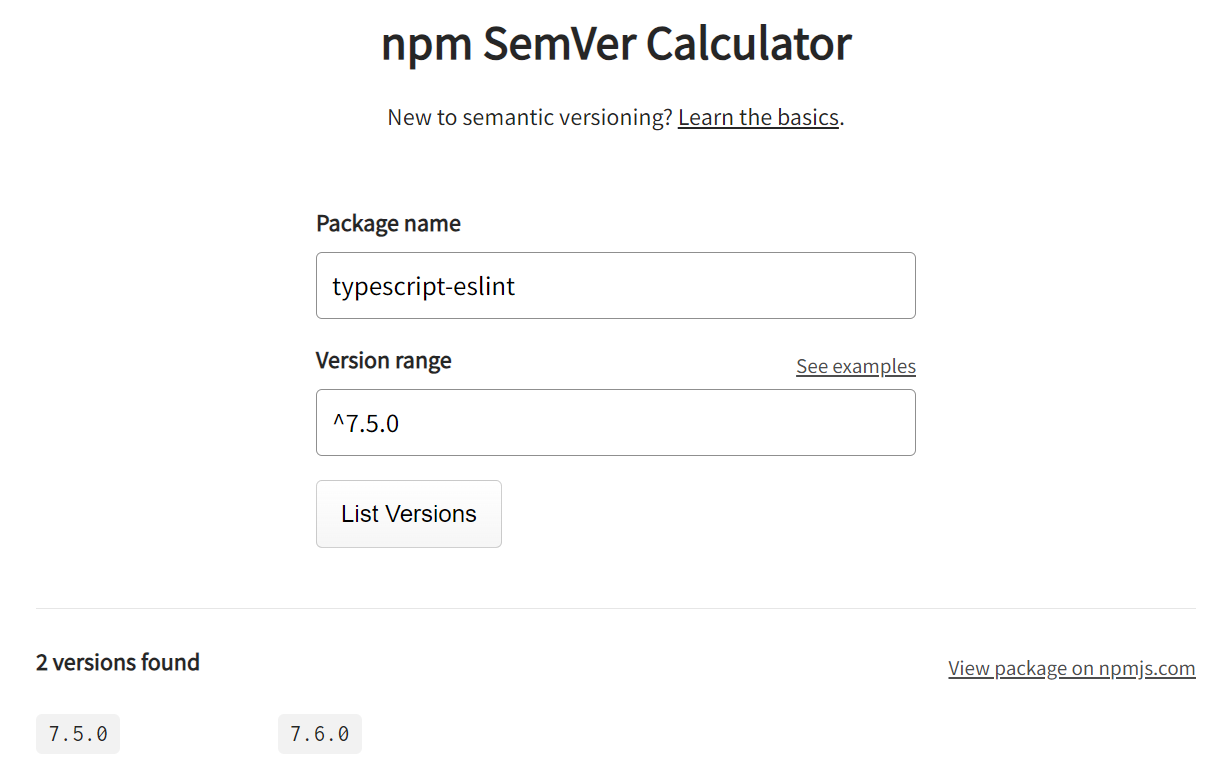
typescript-eslint のバージョン変更では対応できないので eslint のバージョンを下げることにします。
npm semantic version calculator で Package name に eslint、Version range に ^8.56.0 と入力して List Versions をクリックします。すると ^8.56.0 を満たす範囲で最新バージョンは 8.57.0 であることがわかります。
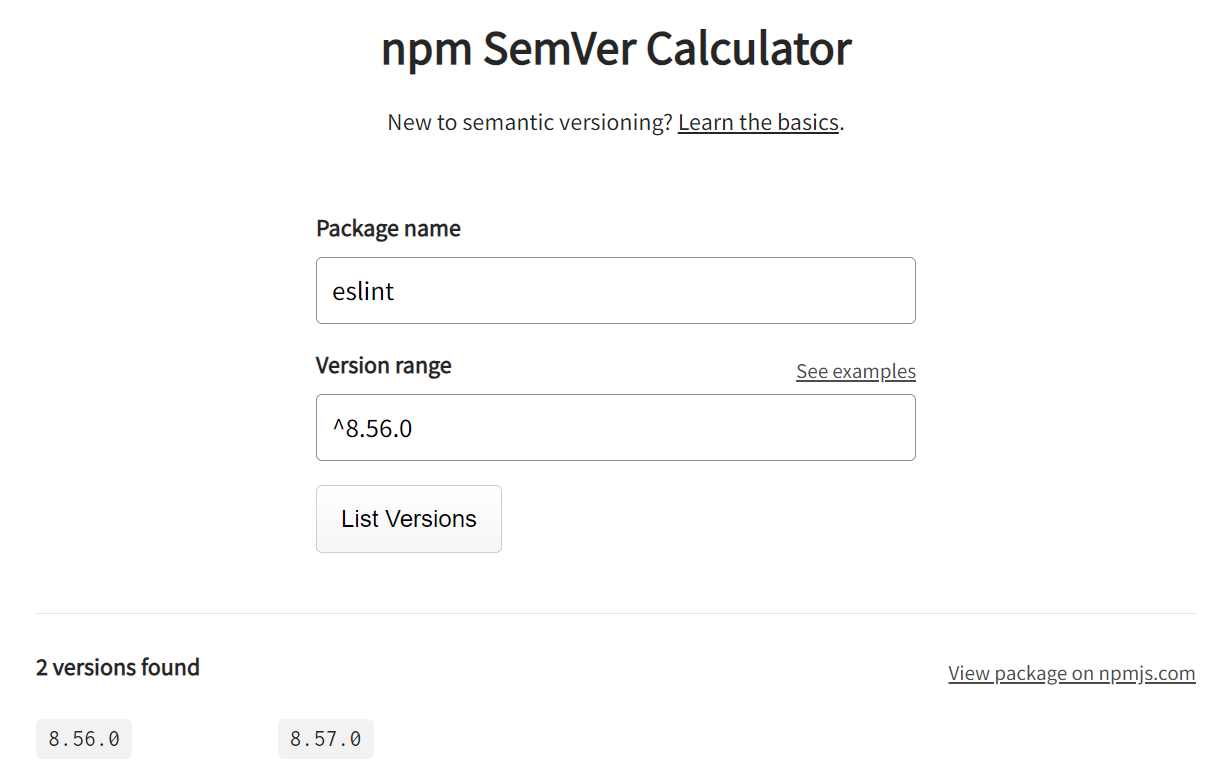
プロジェクトの package.json の eslint のバージョン範囲を変更します。
"devDependencies": {
	"@types/eslint": "^8.56.7",
	"eslint": "^8.57.0",  // 変更
	"eslint-config-prettier": "^9.1.0",
	"prettier": "^3.1.1",
	"typescript": "^5.0.0",
	"typescript-eslint": "^7.5.0",
},
念のため他の eslint 関連プラグインの peerDependencies も確認しておきます。すると eslint-config-prettier にも peerDependencies がありました。
npm info eslint-config-prettier peerDependencies
{ eslint: '>=7.0.0' }
ただこちらは 7.0.0 以上であれば OK なので問題ありません。この指定のしかただとメジャーバージョンあがっても常にサポートしている格好になっているので本当に大丈夫かとは思いますが…。
参考までに >= は純粋にバージョン番号の範囲を指定する Version range syntax です。
Specify a range of stable versions Use
>,<,=,>=or<=for comparisons, or-to specify an inclusive range
- npm semantic version calculator
これで npm install するとエラーなく peerDependencies も満たしたバージョンでインストールされます。
あとがき
npm install の unable to resolve dependency tree エラーの原因や対応方法について紹介しました。今回はこの記事執筆時点の 1 週間前に eslint のバージョン 9.0.0 がリリースされたばかりであったため、typescript-eslint の対応が間に合っていなかったため発生しました。頻繁に発生するものではないと思いますが、プラグインの多いパッケージのメジャーバージョンアップ後は発生したりするので、この記事が参考になれば幸いです。